I used to think the goal was to get the smartest AI tool I could find. Bigger model, better answers, right?
Turns out that's not quite how it works. And this week's AI news made that pretty clear.
Reuters reported that companies are starting to back away from always reaching for the most powerful, most expensive AI model. They're choosing cheaper ones instead. Not because cheap is trendy. Because cheap is often enough.
That's the whole lesson today, really. AI isn't just about how smart a tool is anymore. It's about whether it fits the job in front of you. Price. Speed. Whether you can actually get to it when you need it. For working parents, podcasters, small business owners, and anyone over fifty trying to use this stuff without a second mortgage, that's the part worth paying attention to.
Stop Reaching for the Sledgehammer
Here's a question I'd ask you to sit with:when's the last time you used a chainsaw to open a piece of mail?
You wouldn't. But a lot of people do the AI version of that every day. They fire up the most advanced model they have access to just to rewrite a two-line email.
Reuters' report on rising AI costs points to something businesses are figuring out fast. Every prompt costs money. Every summary, every image, every research task runs on real infrastructure somewhere. Chips. Servers. Power. Cooling. More power for the cooling. It's not magic. It's an expensive electric bill wearing a friendly chat window.
So companies are getting smarter about it. They're matching the tool to the task instead of defaulting to the biggest one available.
You can do the same thing at home, or in your business, without thinking twice about it.
Use a stronger model when the stakes are higher. Strategy. Research. A long piece of writing. A real business workflow you're trying to build.
Use a cheaper tool when the task is simple. Rewriting an email. Summarizing a meeting. Tossing together a checklist. Writing a caption for Instagram.
Nobody needs a freight train to deliver a postcard.
When Even Google Hits a Wall
Here's the part that surprised me. Google reportedly limited Meta's access to its Gemini AI models because Meta wanted more computing power than Google could hand over.
Sit with that for a second. Two of the biggest tech companies on the planet, and one of them couldn't get enough AI horsepower from the other.
If that can happen at that level, it can happen to your favorite AI tool too. Prices can climb. Features can get pulled back. Access can change overnight, and nobody asks your permission first.
So here's what I'd do about it. Pick one main AI tool. Learn it well. Then go learn the basics of a second one, just in case.
If you live inside ChatGPT, spend twenty minutes with Claude or Gemini. If Claude's your home base, same deal in reverse. If your whole job runs through Microsoft, get familiar with Copilot.
You don't need five subscriptions and a graveyard of forgotten logins. You just need a plan B that doesn't leave you stuck the day your plan A changes the rules.
Where This Is Actually Headed
OpenAI also teased a hardware device built for Codex, its AI coding tool. On the surface, that's a developer story. Most of you reading this don't write code for a living, and that's fine.
But look past the headline and there's a bigger shift hiding in there. AI is starting to move out of the chat box and into something more physical. Buttons. Shortcuts. Saved commands you don't have to retype every single time.
Think about what that means for anyone running a podcast, a YouTube channel, or a small content operation. Right now, a lot of us are typing the same prompts over and over. Turn this transcript into show notes. Write a YouTube description. Give me five hooks for a short.
The next version of that isn't a smarter prompt. It's a saved workflow you trigger with one click. Less typing. More doing.
Powerful AI Won't Always Be Sitting There Waiting
There was one more story worth flagging. OpenAI and Anthropic are limiting access to some of their most advanced models right now while they run a cybersecurity review. Some users get access. Some don't, at least not yet.
I'm not telling you that to scare you. I'm telling you because it means the strongest AI tool you have today might not be sitting there tomorrow exactly the way you left it.
So save your work outside the tool itself. Your prompts. Your templates. Your drafts. The systems you've built that actually work for you. Drop them in a Google Doc, a Word file, Notion, a plain old folder on your desktop. Doesn't matter where, as long as it's somewhere you control.
Here's the line I keep coming back to:the tool is something you rent. The workflow is something you own.
This Isn't Just a Tech Story Anymore
OpenAI also published a piece on HP using AI across regular workplace tasks, not just the technical teams. Reports. Meetings. Customer support. The everyday stuff that fills most people's calendars.
That tells you AI skills are quietly becoming work skills. Not “learn to code.” Not “memorize every model name that comes out this month.” Just:figure out how AI can help with the work you're already doing.
Maybe that's drafting emails faster. Maybe it's cleaning up a messy spreadsheet. Maybe it's turning a podcast transcript into show notes you used to write by hand at eleven at night.
Pick one task. Just one. Build a small system around it. See if it sticks before you try to overhaul everything else.
A Prompt Worth Stealing
If you only take one thing from this, try this prompt on something you do every week:
“Help me choose the simplest AI workflow for this task. Tell me whether I need a powerful model or if a cheaper tool is enough. Then give me a repeatable step by step process.”
Run it once. See what it tells you. Don't try to fix your entire life with AI in one afternoon. That's how people build a beautiful system on Monday and abandon it by Wednesday lunch.
Where That Leaves Us
The smartest AI tool isn't always the one that wins. Sometimes the cheaper one does the job just fine, and you keep more of your money. Big companies can hit limits, so it pays to have a backup plan. AI is starting to move into shortcuts and saved workflows instead of constant retyping. And the most powerful tools won't always be sitting there waiting, so build your systems somewhere you control.
None of that requires hype. It just requires a little attention and one good habit at a time.
nn
Joe Foley
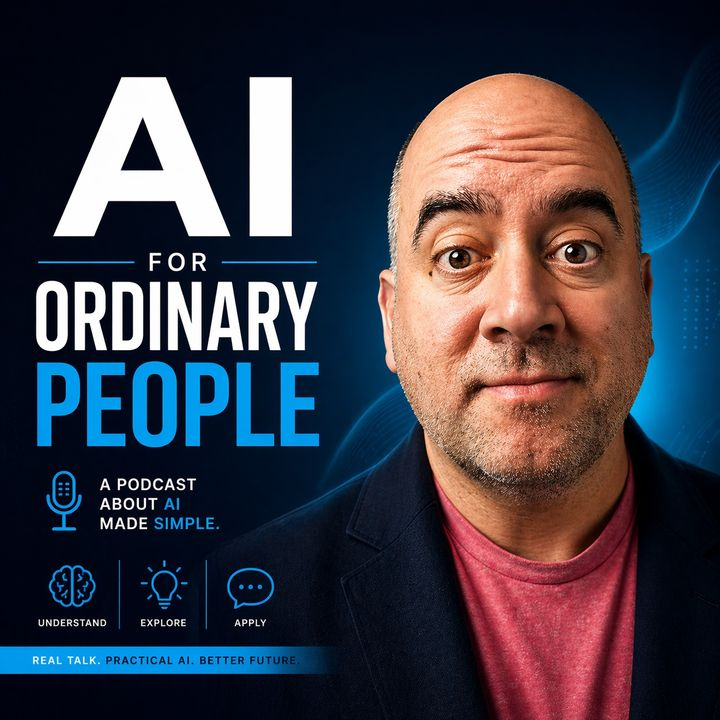
Joe Foley is the creator of AI for Ordinary People. He helps beginners, parents, creators, and small business owners use AI in simple, practical ways. Joe has been podcasting since 2013 and creates plain-English guides, prompts, and workflows for people who want useful help without tech jargon. His goal is to make AI feel less confusing and more useful for real life, real work, and everyday decisions.