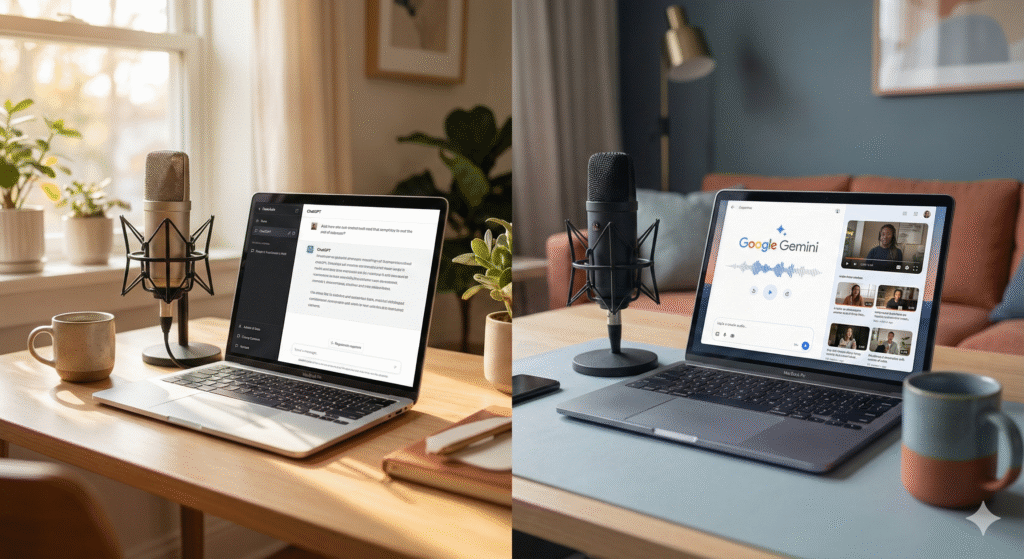
Let's talk about something that's probably been gnawing at you.
You're juggling interview prep, show notes, email outreach, and trying to keep your content consistent. You've heard about ChatGPT Plus. You've heard about Google's new Gemini. And you're wondering:do I really need both, or is one enough?
Here's the honest answer:they work best together. But which one you actually need depends entirely on how you create.
Let me walk you through this the way I'd explain it across the table at a coffee shop.
The Landscape Has Shifted
For a long time, ChatGPT Plus was the go-to for content creators. It felt conversational. It understood tone. It helped you write things that actually sounded like you.
Then Google dropped Gemini 2.0 Flash in late 2024, and suddenly we're playing a different game.
Gemini brings something ChatGPT doesn't:it handles audio and video natively. It processes massive amounts of content all at once. For podcasters specifically, that changes everything.
But ChatGPT Plus didn't sit still either. It's still the best tool I've found for maintaining your voice, adjusting tone on the fly, and having conversations that actually feel natural.
So the real question isn't “which one is better?” It's “which one helps me do what I'm actually trying to do?”
Let's Break Down What Each One Does Well
Working with Audio and Video
This is where Gemini just wins. No contest.
You can upload a raw interview recording—an hour, two hours, doesn't matter—and Gemini will transcribe it, pull out the key moments, identify different speakers, and give you timestamps. All in one pass.
With ChatGPT Plus, you'll need to transcribe your audio first (using something like OpenAI's Whisper), then bring that text into ChatGPT. It works, but it's clunky.
Bottom line for podcasters: If you're constantly working with audio files, Gemini's going to save you a lot of frustration.
Handling Long-Form Content
Here's where things get interesting.
Gemini can handle up to 1 million tokens at once. In real terms, that's about 700,000 words—roughly 20 to 25 hours of transcribed audio. You could drop in an entire season of your show and ask it to find patterns or pull out recurring themes.
ChatGPT Plus maxes out around 128,000 tokens (about 96,000 words). That's still plenty for most single episodes or normal writing tasks, but it's nowhere near Gemini's capacity.
When this matters: Creating recap episodes. Synthesizing ideas across multiple interviews. Big-picture content planning.
When it doesn't: Writing a single episode's show notes. Drafting an email. Social media posts.
Writing That Sounds Like You
This is where ChatGPT Plus still has the edge.
When I'm writing show notes or email pitches, I need the AI to get my voice. ChatGPT understands subtle tone shifts—when to be conversational versus professional, vulnerable versus authoritative. It adapts smoothly when I say “make this warmer” or “dial back the formality.”
Gemini writes well, don't get me wrong. But its outputs tend to feel more structured, more formal. It's improving, but it doesn't yet have that intuitive grasp of personality-driven writing.
If your brand lives or dies on authentic voice: ChatGPT Plus wins here.
Research and Real-Time Info
Both tools now search the web, but they approach it differently.
Gemini taps directly into Google Search, which means it pulls real-time information naturally and cites sources clearly. If you're researching a potential guest, fact-checking stats, or staying current on trends, Gemini's research mode is fast and thorough.
ChatGPT Plus uses Bing for web browsing. It works well, but Google's search dominance means Gemini often surfaces more comprehensive results, especially for niche topics.
For research-heavy prep work: Gemini, by a nose. But honestly, both are solid.
Connecting with Other Tools
ChatGPT Plus has a significant advantage through custom GPTs and API access. You can build custom workflows, connect it to Zapier, integrate with your podcast host, or even create your own tools on top of it.
Gemini plays beautifully with Google Workspace—Docs, Sheets, Gmail, Drive. If you already live in that ecosystem, this is convenient. But it doesn't have the same level of third-party integration or customization yet.
For workflow automation: ChatGPT Plus.
Cost
Both are $20/month. So price isn't going to help you decide.
Here's How I'd Actually Use Them
Let me get practical about this.
Use Gemini When You're:
- Processing raw interview recordings
- Working with long-form content (multiple episodes, research papers, entire books)
- Pulling themes or quotes from hours of audio
- Doing quick research on guests or topics
- Already living inside Google Workspace
Use ChatGPT Plus When You're:
- Writing show notes, scripts, or intros that need to sound like you
- Drafting email outreach or sponsor proposals
- Polishing existing content with tone adjustments
- Building custom workflows or connecting with other tools
- Having back-and-forth conversations that need to feel natural
So Which One Do You Actually Need?
If you can only swing one right now, here's my take:
Go with Gemini if: You're constantly working with audio/video and need to process large amounts of content. The multimodal capabilities and massive context window are genuinely game-changing.
Go with ChatGPT Plus if: Your main need is writing, scripting, and maintaining a consistent brand voice. It's more intuitive for content creation and better at capturing your style.
The ideal scenario: Use both. They complement each other beautifully. Let Gemini do the heavy lifting—transcribing, analyzing, pulling out key points. Then bring that output into ChatGPT Plus to polish it into something that sounds like you.
Final Thoughts
Look, the AI landscape is moving fast. By the time you read this, both tools will probably have new features. But the core strengths I've outlined here? Those are likely to stick around.
As someone who spends a lot of time helping ordinary people cut through the AI hype, here's my advice:don't get paralyzed by the comparison.
Pick one. Learn it deeply. Add the second tool only when you actually hit limitations in your workflow.
Most creators will eventually want both. But you don't need to master everything at once.
What matters most is that you're actually creating. The tools are just there to help you do it better, faster, and with less friction.
Now go make something worth listening to.
This is what I do—helping ordinary people actually use AI without the jargon. Want more straightforward guidance? Let's connect.