
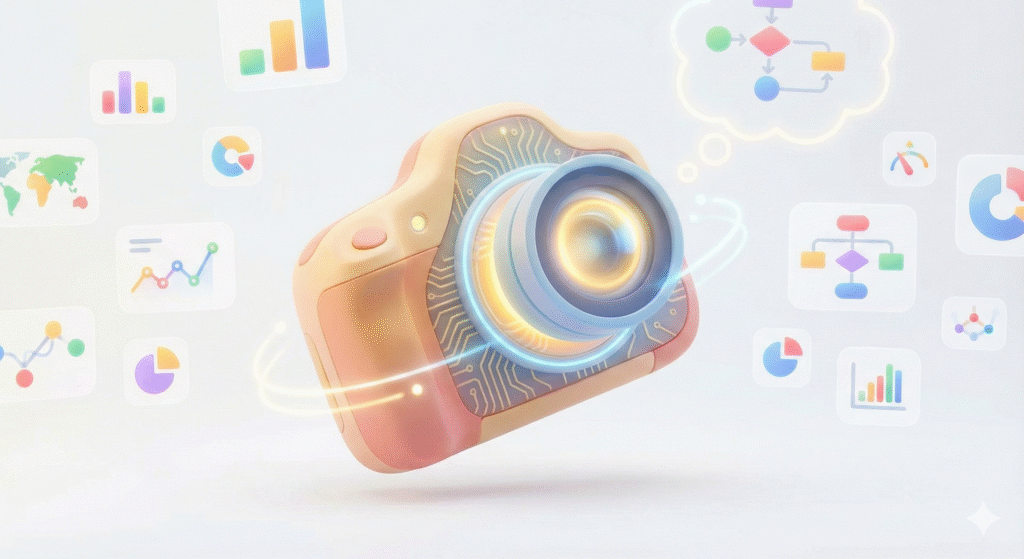
Every once in a while, a tool shows up that makes you stop and say, “This is different.” Nano Banana Pro is one of those tools. I’ve been digging through the research and the testing notes. After a while, it stopped feeling like another AI image generator and began to feel like a new kind of camera. A camera that can think before it shoots. A camera that knows what you want and why you want it.
This thing is built on Google’s Gemini 3 Pro engine, the same brain that powers advanced reasoning tasks. Instead of just guessing how something might look, it can look up real information, understand how pieces fit together, and then build a visual that makes sense. That’s a massive shift. We’re moving from “cool AI pictures” to visuals that can explain, teach, sell, or help you make decisions. That’s where this gets exciting.
In this post, I want to walk through what makes Nano Banana Pro so different, why it matters, and how regular people, creators, teachers, and small businesses can use this in the real world. I’ll also share five detailed real-world ideas you can use today.
A New Kind of Visual Thinking
Before Nano Banana Pro, most AI image tools worked like dream painters. You asked for a cyberpunk city. Boom. Neon lights. Flying cars. Rain on the windows. They were great at imagination, but not great at facts.
Ask those older tools to make a chart with real numbers or a diagram that explains something like “how solar panels work.” You would end up with jumbled text and shapes that looked like they came from a refrigerator magnet set. AI didn’t understand what the information meant. It only knew how to make things look like art.
Nano Banana Pro flips that script.
It reasons first, then creates the image
This is the core idea. Nano Banana Pro doesn’t just draw; it creates. It thinks.
- It reads your instructions like a story, not a string of commands.
- It figures out the logic.
- It understands what must be true for the image to make sense.
- It builds the scene after it understands the meaning.
That slight shift opens the door for diagrams, blueprints, infographics, and images that actually communicate something real. It’s the difference between guessing and knowing. Nano Banana Pro Research and Ap…
It can pull in real-time information.
This is where you feel the power of Google’s ecosystem.
If you ask for:
- a map of today’s weather
- a visualization of current traffic
- The layout of a building was pulled from a real address
- a chart based on live sports stats
Nano Banana Pro can pause and look up the actual data. Then it builds an image based on those facts. No other central image system does this. This moves AI visuals from “fun experiments” into something closer to a live tool for work and life. Nano Banana Pro Research and Ap…
It can handle text inside images.
Anyone who has tried to make posters or graphics with AI knows the pain. You write, “Make this poster say Great Deals Today.” The model returns the string “Glarp Dels Tooday.” Close enough if you squint, but not something you’d post on Instagram.
Nano Banana Pro can write text cleanly. It can format labels. It can handle paragraphs. It can lay out entire diagrams. That matters for teachers, marketers, small business owners, and creators who need visuals that look like real design work. Nano Banana Pro Research and Ap…
It stays consistent across images.
Older AI tools struggled to maintain character consistency. You could not build a comic book, storyboard, or product catalog because faces and shapes kept drifting. Nano Banana Pro lets you upload up to 14 reference images, which it uses as anchors. It holds onto identity, style, and layout. This means you can keep a character the same from one scene to the next, or keep a product looking identical from one location to another. Nano Banana Pro Research and Ap…
Why This Matters Right Now
The bigger picture here is simple. We are entering a world where visual thinking is becoming normal. Not everyone can draw. Not everyone can design. Not everyone can render a 3D model of a room or a chart or a diagram. But everyone needs visuals. Teachers need them. Businesses need them. Podcasters need them. Parents need them for school projects. Companies need them for training.
This is the first time a tool can take your idea, understand it, and turn it into something clear enough for someone else to use.
You don’t need to be a designer. You only need to describe the idea.
Five Real-World Use Cases You Can Use Today
The following ideas come from the research in your document and from real problems people face every day. These are practical, not hypothetical. You could try any of these the moment you finish reading.
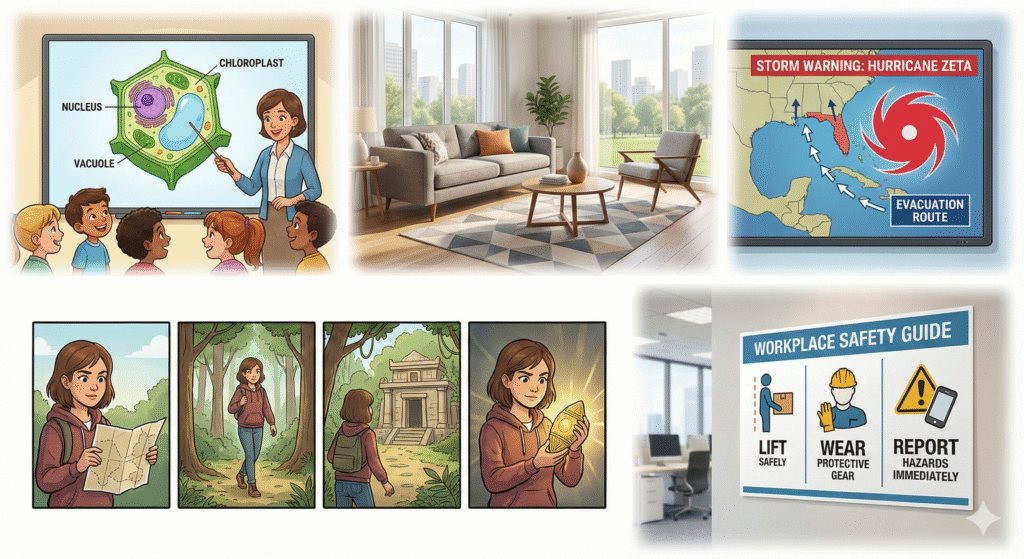
1. Turn Boring Classroom Lessons Into Visual Stories
If you’re a teacher, a parent helping with homework, or someone making educational content online, Nano Banana Pro is a game changer. You can turn a tough idea into something visual and clear.
Try something like:
“Create a comic-style diagram explaining photosynthesis. Use bright colors. Label the inputs and outputs. Make it simple enough for a 6th grader.”
The model can check real chemical formulas via search, verify the information, and then draw them with readable, clean labels. If you have students who speak Spanish or Portuguese, you can request translated versions that maintain the same design. Nano Banana Pro Research and Ap…
This means you can build complete slide decks or classroom posters without spending extra money or hours searching for graphics online. You can even personalize the visuals for different learners.
2. Build a Product Catalog Without a Photo Studio
A small business can now create a full product catalog from one or two real photos.
If you run a furniture shop, a handmade craft store, or even an online drop-shipping store, you can do something like:
“Place this chair into a modern living room with warm lighting and wooden floors.”
Nano Banana Pro reads the lighting on the real product and makes sure the shadows match the room. That’s something older AI tools couldn’t get right. You can even say:
“Create twenty variations. Change the decor style each time.”
Think Boho, Scandinavian, industrial, minimalist, rustic, or beach house.
You can now test which environment performs best on Instagram or your website. This saves potentially thousands of dollars in photo shoots and lets you target customers with precision. Nano Banana Pro Research and Ap…
3. Make Visual Safety Alerts for Real-World Events
Logistics teams, shipping companies, and emergency managers finally get a tool that can visualize live conditions. Let’s say a storm forms in the Pacific. You can prompt:
“Create a weather alert poster showing the current typhoon path intersecting with Shipping Route A. Use real coordinates. Add clear labels. Output versions in English, Japanese, and Portuguese.”
Nano Banana Pro grabs the actual storm information from Google Search and updates the map. It adjusts the design to make the text readable in each language. This solves a huge problem for teams with global staff. People act faster when the information is clear and visual. Nano Banana Pro Research and Ap…
4. Build Storyboards for Movies, YouTube, or Podcasts
If you’re a creator building a story, a documentary, or a video concept, keeping characters consistent can be a nightmare. Nano Banana Pro can hold the style, face, outfit, and layout steady thanks to the 14-image reference window.
You can upload your character references and sketch out:
“Scene 1. The main character in a neon-lit city walking toward a shuttle station.”
Then move to:
“Scene 2. Same character sitting in a cockpit. Keep face and outfit identical. Change the lighting.”
With each step, the visuals stay locked. That means you can produce pitch decks, concept art, or even animated scene guides without hiring an artist. This helps indie filmmakers and small creators compete with bigger studios. Nano Banana Pro Research and Ap…
5. Make Personalized Training Materials for Teams
Companies can use this to create custom training visuals that match their workplace. You can upload photos of your actual equipment, office space, warehouse floor, or tools. Then you can ask:
“Create a training poster showing how to use this machine safely. Use the real machine from Image 1. Add clear step labels. Make the text large and simple.”
Nano Banana Pro reads the environment, checks real safety guidelines through search, and builds a clean visual that looks like professional training material. This helps with new hires, warehouse training, customer service scripts, and even simple onboarding guides. Nano Banana Pro Research and Ap…
What Makes This Feel Different
This isn’t just about better pictures. It’s about removing friction. Nano Banana Pro turns a long, complicated design task into a conversation. Instead of learning a design tool, you describe what you need. Instead of hiring a designer for something simple, you create it yourself. Instead of searching through Google Images for something close enough, you build something that fits your exact purpose.
A tool that adapts to you
Whether you want aesthetic storytelling or strict accuracy, the tool shifts with you.
- If you want creativity, it does creativity.
- If you want real-world data, it checks the facts.
- If you want consistency, it follows your references.
- If you want a diagram, think through the structure before drawing anything.
It’s more like giving instructions to a human who listens carefully.
Where This Goes Next
We’re heading toward a future where the line between “search” and “create” disappears. Instead of searching for an image of something, you’ll create one that fits your exact need. Instead of looking up data and creating visuals by hand, the tool will handle both.
This is not replacing human creativity. It’s expanding it.
It’s giving everyone visual superpowers.
Students. Parents. Small business owners. Podcasters. Teachers. Creators. Anyone who has ever said, “I know what I want, but I don’t know how to make it.”
Now you can.
And that might be the most significant shift of all.