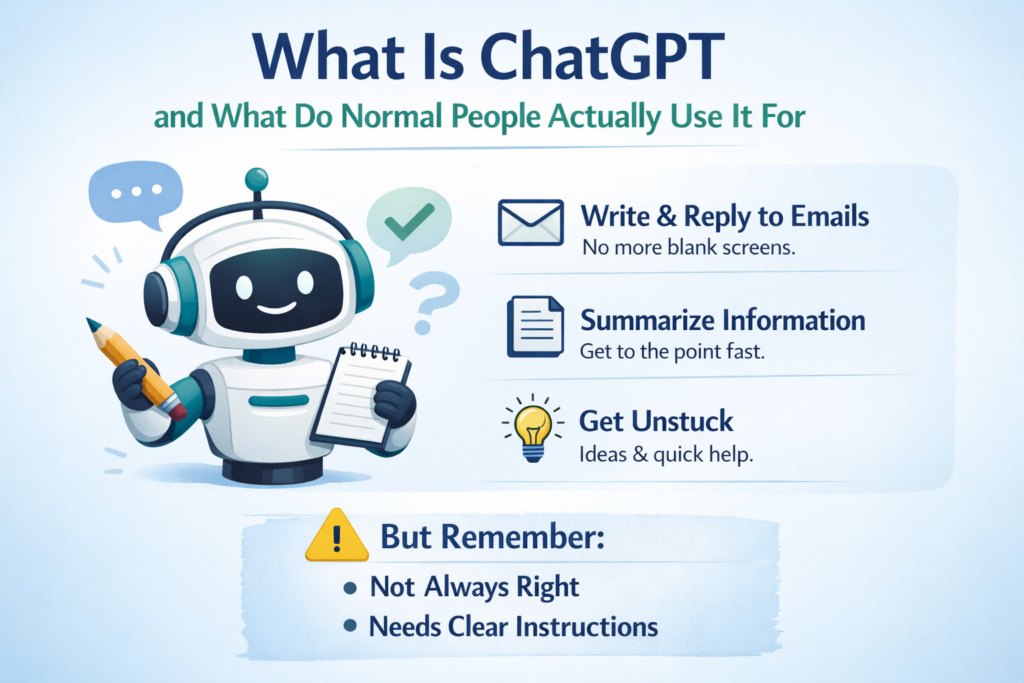
Most people hear “ChatGPT” and assume one of three things.
It is only for tech people.
It is cheating.
It is going to replace their job.
None of that is helpful. Most of it is wrong.
Here is the truth. ChatGPT is not a robot assistant that thinks for you. It is a writing and thinking helper that responds to what you give it. That is it. No magic. No mind reading. Just a tool that reacts to input.
Good input helps. Bad input gets you nonsense.
What ChatGPT Actually Is
ChatGPT is a text-based AI tool. You type something. It responds with text.
It does not know your life. It does not understand your intentions. It does not decide what matters.
It reacts to input. That is all.
Think of it like a very fast intern who has read a lot, needs clear instructions, and will confidently guess if you are vague.
That last part matters. ChatGPT does not say “I don't know.” It fills in the blanks. Sometimes that is helpful. Sometimes it makes things up. You have to know the difference.
The tool itself is neutral. What you get from it depends entirely on what you bring to it.
If you treat it like a search engine, you will be frustrated. If you treat it like a collaborator who needs direction, you will get somewhere.
The key is understanding what it can and cannot do. Most people skip that step. They either expect too much or dismiss it too quickly.
What Normal People Actually Use ChatGPT For
Not startups. Not coders. Not “AI founders.”
Regular people use it to remove friction from boring tasks. The stuff that eats up time but does not require deep thought. The things you have to do but wish you could skip.
Here is what that actually looks like.
Writing Without Staring at a Blank Screen
Emails. Replies. Messages you do not want to overthink. First drafts you clean up later.
You know the feeling. You need to send something. You know what you want to say. But the words are not coming. You reread the same sentence five times. You delete and start over.
ChatGPT helps with that. It gives you a starting point. You adjust it. You send it. Done.
This is not about being lazy. It is about removing the mental friction that makes simple tasks take longer than they should.
Summarizing Things You Do Not Want to Read
Reports. Articles. Meeting notes. Long emails from people who could have said it in three sentences.
You paste it in. You ask for a summary. You get the main points. You move on.
This is useful when you need to know what something says but do not have time to wade through it. Or when the writing is dense and you just want the bottom line.
Some people feel guilty about this. They think they should read everything fully. But if summarizing helps you stay on top of things without burning out, that is a win.
Getting Unstuck
“Help me think this through.”
“Give me options.”
“Rewrite this so it sounds calmer.”
These are the moments when you know what you want to do but need a nudge. Or when you are stuck between two choices and need to see them laid out clearly.
ChatGPT does not make the decision for you. But it can help you see the problem from a different angle. It can generate options you had not considered. It can reframe something so it feels less overwhelming.
This is where it shines. Not as an answer machine. As a thinking partner.
Planning and Organizing
Weekly plans. To-do lists. Simple outlines. Brain dumps turned into order.
You have a mess of ideas. You type them out. You ask ChatGPT to organize them. It groups things. It spots patterns. It gives structure.
This is not deep work. It is the kind of organizing that takes mental energy but does not require insight. The stuff you can do yourself but would rather not.
The Common Thread
The common thread in all of this is not creativity. It is mental relief.
ChatGPT is useful for tasks that are necessary but draining. The things that eat up your attention even though they do not move the needle.
It does not replace thinking. It supports thinking. It clears the clutter so you can focus on what actually matters.
That is the difference between using it well and using it poorly. If you expect it to do the work for you, you will be disappointed. If you use it to handle the noise so you can think clearly, it works.
What ChatGPT Is Bad At
This matters more than the good parts.
ChatGPT makes mistakes. It fills gaps when it does not know. It sounds confident even when wrong.
That last part is the problem. It does not say “I'm not sure.” It gives you an answer. And if you do not know enough to spot the error, you might believe it.
It should not be used for medical advice. Or legal advice. Or financial decisions without verification. Or anything where accuracy matters more than speed.
It also does not replace thinking. If you expect it to solve problems for you, you are using it wrong. It can help you think through problems. But the thinking still has to come from you.
Here is another thing it is bad at. Nuance.
ChatGPT is great at patterns. It is terrible at reading between the lines. It does not pick up on tone unless you tell it to. It does not know when something needs a light touch or when it needs to be direct.
That is why you always edit the output. Always.
If you use ChatGPT like a vending machine, you get vending machine results. Generic. Slightly off. Missing the human element.
The Simplest Way to Use ChatGPT Well
Forget “prompt engineering.”
You do not need to learn a system. You do not need to watch hours of tutorials. You do not need to memorize templates.
Do this instead.
Say who you are.
Say what you want help with.
Give context.
Ask for one thing at a time.
Example:
“I am writing an email to a school teacher. I want it to sound calm and respectful. Here is the situation. Draft a short reply.”
That alone puts you ahead of most people.
The reason this works is simple. ChatGPT does not know anything about you unless you tell it. The more context you give, the better the response.
If you say “write an email,” you get a generic email. If you say “write an email to a teacher about my kid missing a field trip, keep it polite and short,” you get something useful.
The difference is not complicated. It is just specificity.
Most people think they are being clear when they are not. They assume the tool will figure it out. It will not. It needs direction.
The good news is that giving direction is not hard. You just have to think for a second before you hit enter.
One Real Example
You are tired. You need to reply to an email. You keep rereading it. You know what you want to say but you cannot get the words right.
Instead of thinking harder, you paste this into ChatGPT:
“Rewrite this email so it sounds clear, polite, and not defensive. Keep it short.”
You read the result. You adjust a sentence. You send it.
That is not cheating. That is using a tool.
You still made the decision. You still provided the context. You still checked the output. ChatGPT just removed the friction.
This is what normal use looks like. Not flashy. Not revolutionary. Just useful.
The One Mistake People Make
They treat ChatGPT like an authority.
It is not.
It is a helper that needs direction, judgment, and a human filter.
Used that way, it saves time. Used blindly, it creates problems.
Here is what that looks like in practice.
Someone asks ChatGPT a question. They get an answer. They assume it is correct. They use it. Later, they find out it was wrong.
That happens because they skipped the filter step. They did not verify. They did not apply judgment.
ChatGPT is not Wikipedia. It is not a reference tool. It is a generator. It creates plausible-sounding text based on patterns. Sometimes that text is accurate. Sometimes it is not.
Your job is to know the difference. Or at least to know when you need to check.
This does not mean ChatGPT is useless. It means it requires a level of engagement. You cannot outsource your thinking entirely. You can only outsource parts of it.
The people who get the most value from ChatGPT are the ones who stay involved. They use it as a starting point. Not an ending point.
What to Do Next
If you are new, do not explore features. Do not watch hours of videos. Do not try to learn everything at once.
Pick one task you already do every week and try ChatGPT on that.
That is enough to know if it belongs in your life.
Maybe it is drafting emails. Maybe it is summarizing meeting notes. Maybe it is organizing a to-do list.
Pick one thing. Try it a few times. See if it saves you time. See if it makes the task easier.
If it does, keep using it for that. If it does not, try a different task.
The mistake people make is trying to do too much at once. They want to revolutionize their workflow. They want to automate everything. They burn out before they get anywhere.
Start small. Build from there.
The other thing to remember is that ChatGPT is not all or nothing. You do not have to use it for everything. You do not have to love it.
You just have to figure out if it helps with something specific. If it does, great. If it does not, move on.
Simple Tool:The “First-Use ChatGPT Helper”
This is the companion tool for this post. No downloads. No complexity.
Just a simple framework to get started.
Step 1:Copy This Starter Prompt
Use this every time you feel stuck.
“I am a regular person, not technical. I need help with this task:[describe the task]. The result should be clear and simple. If something is unclear, ask me one question before answering.”
This prompt does a few things. It sets the tone. It tells ChatGPT you do not want jargon. It gives permission to ask clarifying questions.
That last part is important. Most people do not realize they can tell ChatGPT to ask questions. But it makes the output better. It reduces guessing.
Step 2:Use It for Only These Tasks at First
Emails. Summaries. Lists. Rewrites.
Avoid anything high-risk until you are comfortable.
Do not use it for medical advice. Do not use it for legal questions. Do not use it for anything where you cannot verify the answer.
Stick to low-stakes tasks where the worst case scenario is you have to rewrite something.
This is not about being overly cautious. It is about building confidence. You need to see how ChatGPT responds before you trust it with bigger things.
Step 3:Always Do This Final Check
Before using the output, ask yourself three questions.
Does this sound like me?
Is this accurate?
Would I say this out loud?
If yes, use it. If not, edit it.
This step is not optional. This is where you apply judgment. This is where you make sure the output fits your voice, your situation, your standards.
ChatGPT gives you a draft. You turn it into the final version. That is the process.
If you skip this step, you end up sounding generic. Or worse, you send something that is wrong.
The final check is your responsibility. Not ChatGPT's.
Why This Matters
Most people either overestimate or underestimate ChatGPT.
They think it is going to change everything. Or they think it is useless.
The reality is somewhere in the middle.
ChatGPT is a tool. Like a calculator. Like a spell checker. Like a search engine.
It does not replace thinking. It supports thinking.
It does not make you lazy. It removes friction.
It does not do the work for you. It helps you do the work faster.
That is the frame. That is the mindset.
If you go in with that understanding, you will get value from it. If you go in expecting magic, you will be disappointed.
The goal is not to become an AI expert. The goal is to find one or two places where ChatGPT makes your life easier. That is it.
For some people, that will be emails. For others, it will be organizing thoughts. For others, it will be nothing at all.
All of that is fine.
The point is to try it. See if it fits. Move on if it does not.
No pressure. No hype. Just a tool that might help.